
Practise on the pages you already read
You don't learn pronunciation in a separate tab you have to remember to open. sayit puts the whole loop — hear it, say it, fix the sounds — on top of whatever you are reading right now.
Works in Chrome, Edge, Brave, Opera, Vivaldi and Arc — anything built on Chromium. In Edge you are asked once to allow extensions from other stores.
How it works
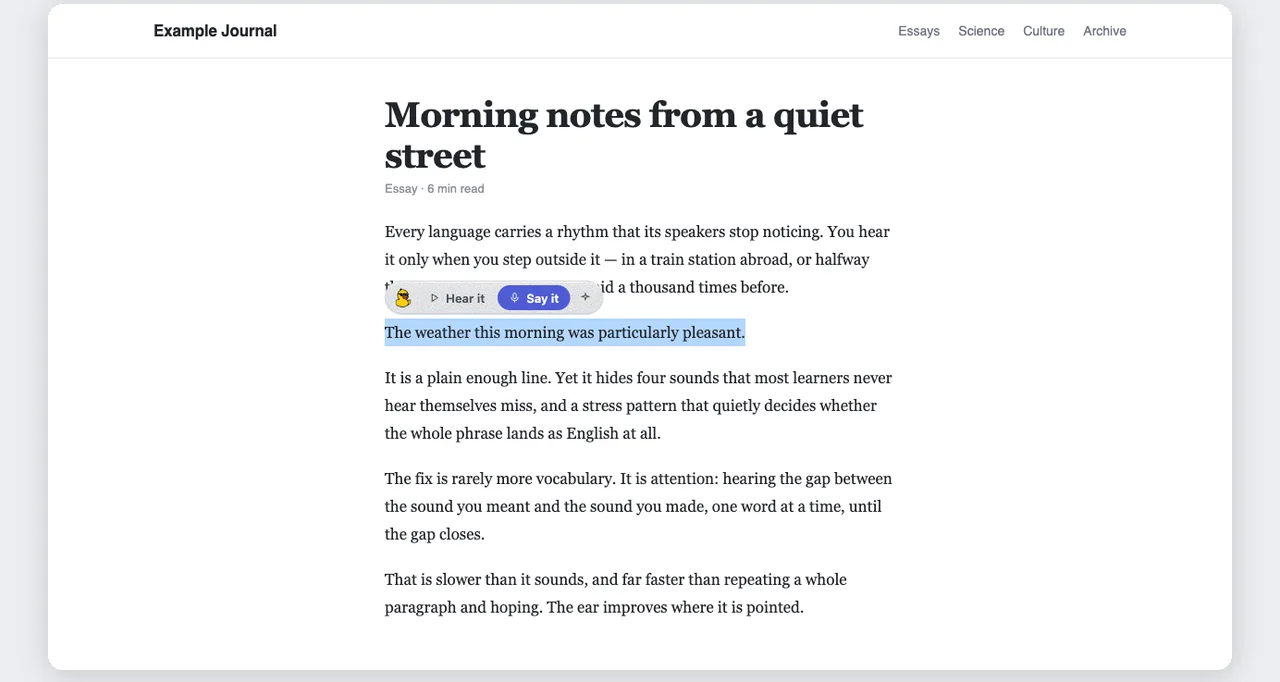
Select a sentence
On any article, doc, or email. A small toolbar appears right above your selection — nothing else on the page moves.
Say it
Record straight from the toolbar. Or hit Alt+S and skip the mouse entirely.
See which sounds to fix
A score, the exact phonemes that slipped, and a sound-it-out respelling with the stressed syllable in CAPS.
Two minutes, start to finish
A full run through sayit — record a sentence, read the per-word verdicts, and see the exact sounds to work on.
See it in action
Every shot below came out of the built extension running against the real analysis stack — the scores and flagged sounds are what it actually computed for that audio, not a designer's guess.
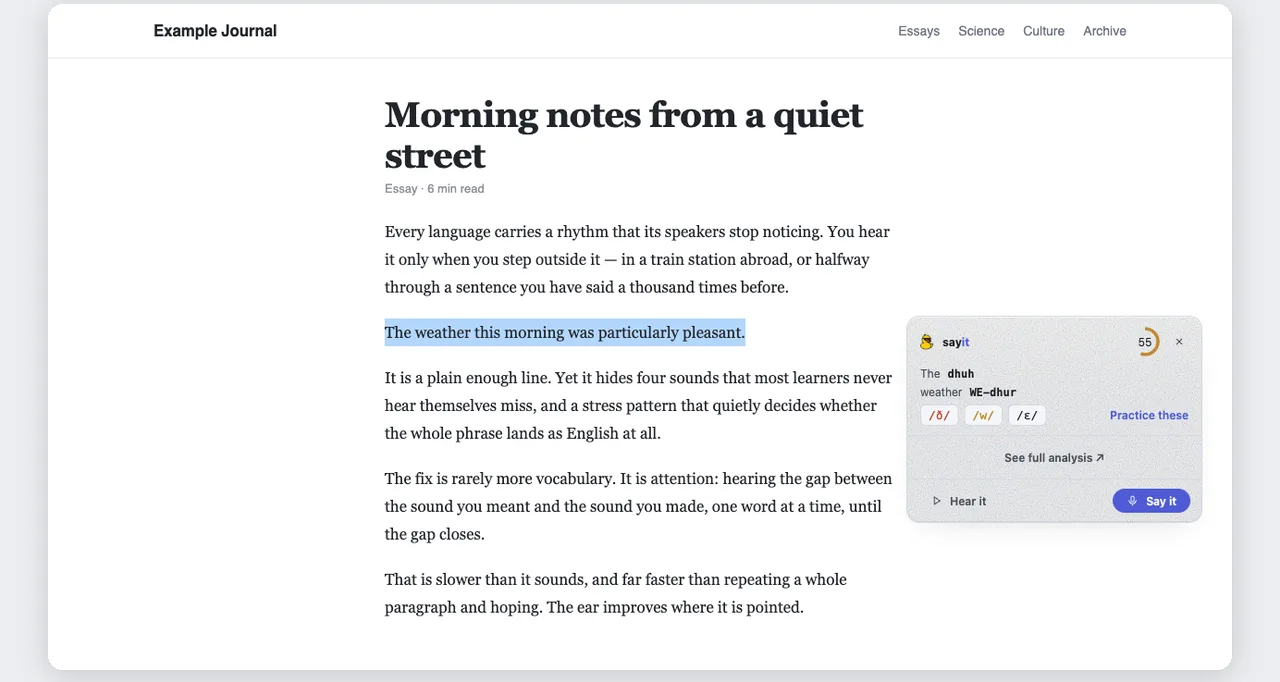
It shows up where you're reading
Highlight a sentence and a small toolbar appears right above it. Hear it read aloud, or say it yourself. Nothing else on the page shifts.
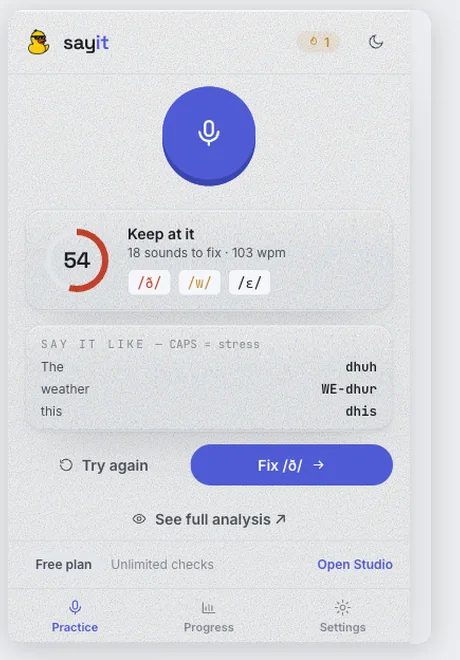
Pronunciation you can actually read
Every flagged word is respelled the way it sounds, with CAPS marking the stressed part. No phonetic alphabet required — though the IPA is right there if you want it.
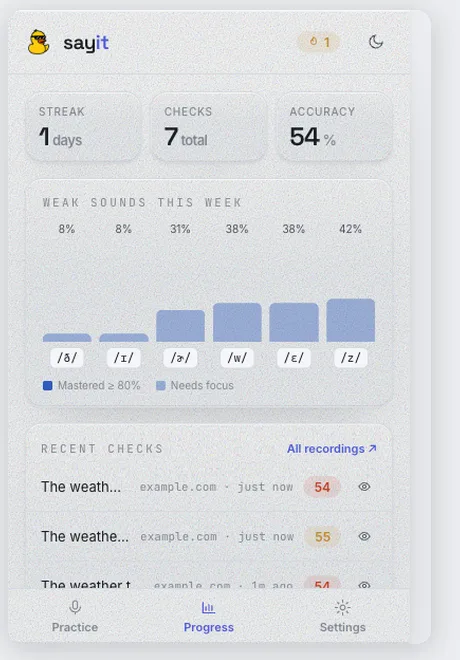
Your progress, not a separate app
Streak, accuracy and weak sounds come from your sayit account — the same history the web app shows. Practise in either; it's one record.
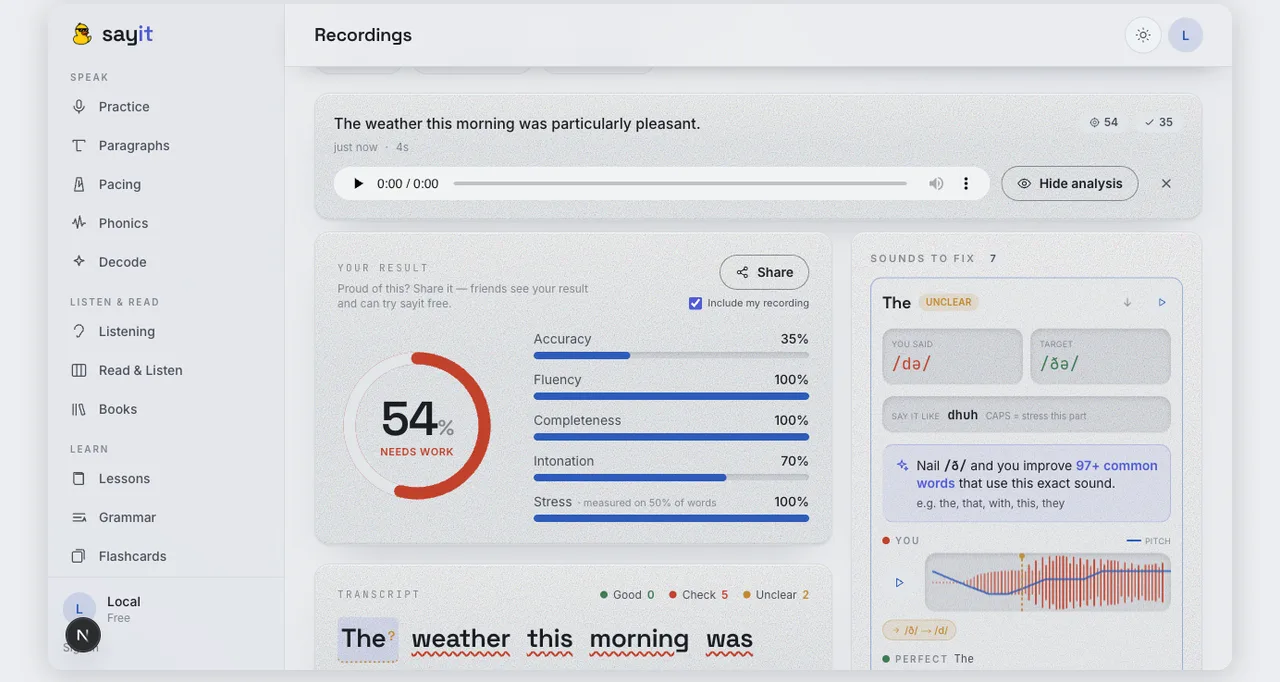
Open any take for the full breakdown
Every check is saved to your library. Play it back, compare your sounds against the target, see the pitch line, and drill the ones that keep slipping.
Everything the app does, where you already are
Hear it first
Native-quality playback of the exact sentence you selected, at full speed or slowed to 0.7x when a cluster is fighting you.
Word-by-word verdicts, on the page
The words you said get underlined in place — solid for clean, dotted for unclear, wavy for the ones worth redoing.
Real IPA, not vibes
What you said against what was expected, per phoneme, so you know which sound to actually move.
Streak and weak sounds
The popup tracks your streak, checks, and accuracy, and keeps your three weakest sounds one click away.
Meeting recap
On Google Meet, Zoom, and Teams it can sit through a call and hand you a recap: pace, filler count, talk time, and the phrases worth drilling.
Yours to tune
Pick the voice and speed, turn the toolbar or on-page verdicts off, and mute it entirely on sites you would rather it never touch.
Every take, kept
Saved takes sync to your library, so “See full analysis” opens the full breakdown in Studio — audio and all.
Quiet by default
It does nothing until you select text. Google Docs and Gmail are excluded out of the box, and your recordings are never sold.
Add it once. Practise everywhere.
Free to install, and it uses the same account as the app — your streak, your recordings, your weak sounds, wherever you practise.
Signing in is optional to try it · How we handle your voice